Compress intelligently
Adaptive PNG palettes and JPEG, WebP, and AVIF encoding trials find smaller files while checking color, detail, and transparency. Keep the same format and resolution.
 Image Optimizer
Web-ready images. Right on your computer.
Compress your images, keep their dimensions, and see the savings before you export.
Mac: Big Sur 11+ · Apple silicon or Intel · Windows: 10/11, 64-bit (x64)
Preview releases · Mac build is not notarized · Windows build is unsigned.
Mac installation · Windows installation
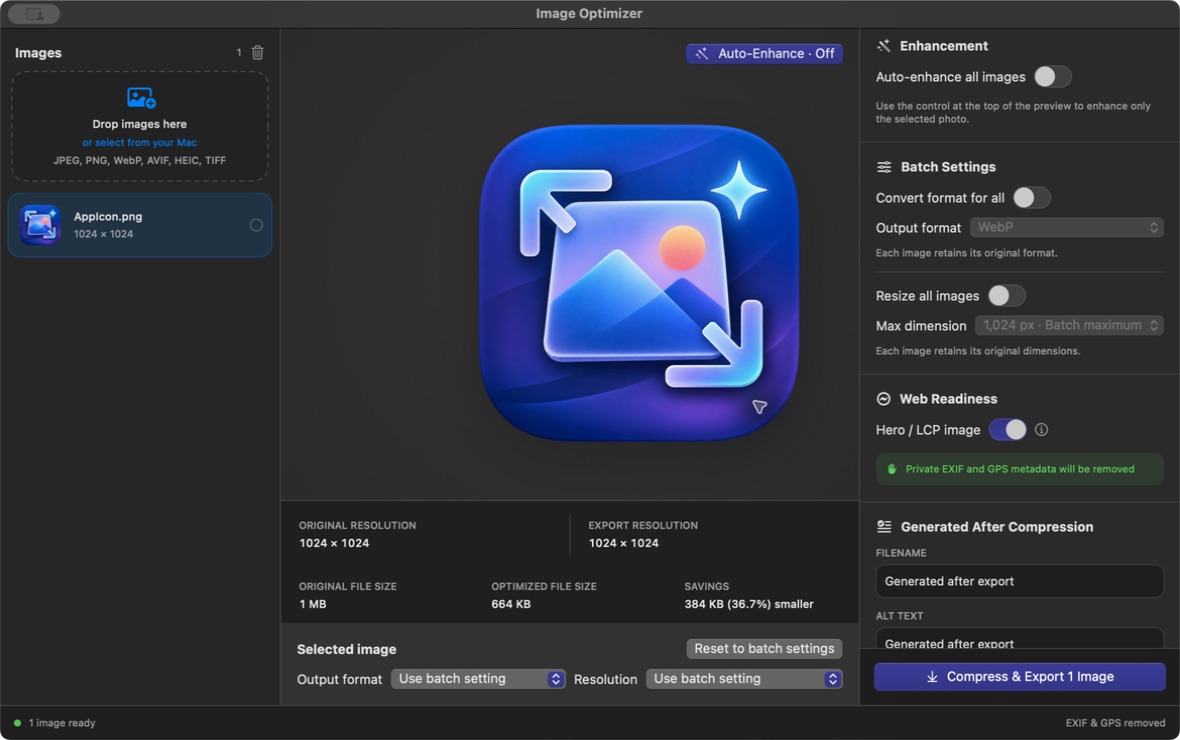
macOS app shown. The Windows edition has its own desktop interface.
Also imports HEIC/HEIF, single-page TIFF, and BMP. GIF, RAW, and standalone HEVC video are not supported.
On Windows, HEIC and BMP export as PNG by default, or convert to JPEG, WebP, or AVIF. BMP support is limited to uncompressed Windows BMP files. HEIC decoding is included and works offline.
Start with a batch. Fine-tune a single image. Save everything to the folder you choose.
Adaptive PNG palettes and JPEG, WebP, and AVIF encoding trials find smaller files while checking color, detail, and transparency. Keep the same format and resolution.
Original resolution stays unchanged by default. Resize when you want to, with the aspect ratio preserved and no upscaling.
Choose a format and resolution preset for one image, or enter a custom maximum dimension. Individual choices stay in place when batch settings change.
Review the original size, prepared output size, and percentage saved before exporting. Conversion increases are shown honestly, too.
Images are processed locally on both platforms. Private metadata is removed from exports. Optional Auto-Enhance adjusts tone and color when you choose it.
Built for macOS Big Sur 11 and later, with separate Apple silicon and Intel downloads.
These preview builds are ad-hoc signed, not Apple-notarized. macOS may block them. If you trust this download, review the app’s blocked-open message in System Settings → Privacy & Security (System Preferences → Security & Privacy on Big Sur).
Both architectures are built with an 11.0 minimum target. Testing on a physical Big Sur Mac is still pending. Compression savings vary; quality checks do not guarantee identical pixels or a particular file size.
For Windows 10 and Windows 11 on 64-bit Intel or AMD PCs. Includes offline compression, batch and individual settings, actual size previews, and export-folder selection.
Download for WindowsImageOptimizer-Setup-1.4.0-x64.exe on your Windows PC.This Windows preview is unsigned. Windows may display an unknown-publisher or SmartScreen warning. Only run installers from a source you trust; do not disable Windows security.
Compression tests passed, but installation and runtime have not yet been verified on a Windows PC. No native Windows ARM64 or 32-bit build is offered.